
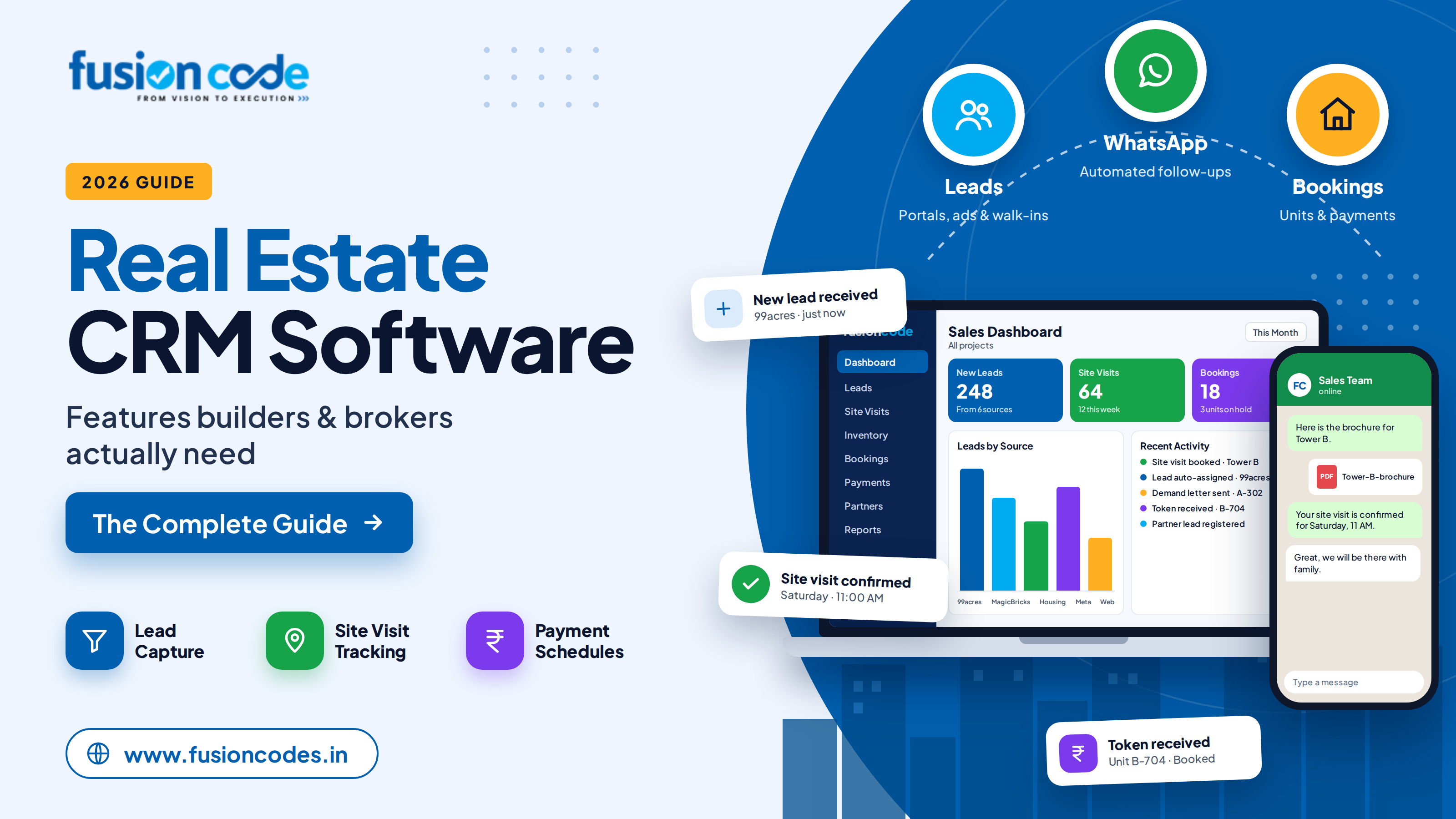
Ask any builder about leads, and the list comes out fast. 99acres. MagicBricks. The Facebook campaign. Sunday walk-ins. Calls to the site office that nobody picked up.
Leads aren’t the problem. Losing half of them between the inbox and the follow-up call is.
That’s the gap a real estate CRM should close. We’ve built a few at FusionCodes, so here’s our take on the features that earn their place.
What is real estate CRM software?
Put simply, a real estate CRM is where all your enquiries live. Every lead gets its own page, and on that page you’ll find each call made, the site visit, the booking, and the payments that followed. When a follow-up is due, the salesperson gets a reminder instead of relying on memory.
You can bend Zoho or HubSpot to do this. But they don’t know what a tower, a unit, or a construction-linked plan is, so you end up living with workarounds.
Why do real estate builders and brokers need a CRM?
Because nobody books a flat on the first call. There’s the brochure, a site visit, often a second one with the parents, some bargaining, and a loan chat. Drop the ball once, and the buyer quietly goes next door.
Before switching, most teams describe the same mess:
- A lead comes in at night, and nobody calls until the next afternoon.
- Portal enquiries pile up in an inbox someone checks “when free”.
- Two salespeople chase one buyer, then fight over the booking.
- Someone resigns, and every contact on their phone leaves too.
- Lakhs go into ads, but nobody knows which campaign brought site visits.
Real estate CRM vs Excel: is a spreadsheet enough?
For a solo broker with ten leads a week, honestly, Excel will do.
Add a second salesperson or project, and it falls apart. Sheets don’t send reminders, pull portal leads, or stop two people calling one number. And your buyer list sits in a file anyone can forward.
Try answering this without opening five files: how many site visits did your team do last week, and where did those buyers come from? If working that out takes half an hour, Excel has reached its limit.
Must-have real estate CRM features for builders
Builders sell a particular flat on a particular floor, then collect money for years. The CRM has to hold all of that together.
1. Lead capture from every source
Portals, ad forms, website, IVR, and walk-ins should land in the CRM on their own. Once people copy leads by hand, it’s only a matter of weeks before they stop.
2. Automatic lead assignment
Set the rules once: this project to this team, big budgets to your best closer. We usually suggest a 15-minute rule too. If nobody has called a new lead by then, the CRM moves it to the next free salesperson.
3. Unit-level inventory
Sales should see live which units are open, on hold, booked, or sold. Ask anyone who’s had to tell a buyer their token-paid flat went to someone else.
4. Site visit tracking
We’d argue the site visit matters more than any call. Book it from the CRM, send the buyer the location a day before, and ask the salesperson to note down how it went once the buyer leaves. A few weeks of this and you’ll clearly see who is closing and who isn’t.
5. Cost sheets and instalments
When a unit gets booked, the cost sheet should come out of the CRM, not out of someone’s Excel template. Every instalment after that gets tracked too. Builders on construction-linked plans will like this part, because demand letters can go out on their own once a stage is marked complete, and accounts doesn’t have to chase it.
6. Channel partner portal
Give brokers a login to register buyers. It ends “who brought this client” arguments and works out commission from real bookings.
7. Simple dashboards
Ask most owners what they check in the morning, and it’s the same few things. Where are the leads coming from? How many visits happened yesterday? Any bookings? How much money is due this week? Put those on one screen and skip the rest.
Must-have real estate CRM features for brokers
Brokers own no inventory. You’re matching people to other owners’ properties, mostly from your phone.
1. Searchable listings
Every sale, rental, and resale listing in one place, with photos, price, and owner’s number. Pull up options while the client’s still talking.
2. Buyer-to-listing matching
Feed in the buyer’s budget, area, and the size of flat they want, and the CRM pulls up whatever matches. It’s even more handy the other way round. A fresh listing comes in, and the CRM tells you which old buyers had asked for something like it, which gives you a head start on other brokers.
3. A fast mobile app
If logging a call takes more than two taps, it won’t happen.
4. WhatsApp built-in
Send brochures, photos, and location pins from the lead’s page, with a record kept for the whole team.
5. Commission tracking
Co-broking is common, and splitting commission between two or three brokers gets confusing fast. Keep it in the CRM: what each deal earns, who gets what share, and what has actually come in so far.
6. Reminders before leases end
If you handle rentals, renewals are money you’ve already half earned. A reminder a month or two before the lease ends gives you time to speak to the landlord and the tenant first, before someone else gets in touch.
Real estate CRM for builders vs brokers: feature comparison
A quick way to avoid paying for modules you’ll never open.
| Feature | Builders | Brokers |
|---|---|---|
| Multi-source lead capture | Essential | Essential |
| Auto lead assignment | Essential | Useful for teams |
| Unit-level inventory | Essential | Not needed |
| Listings database | Not needed | Essential |
| Site visit tracking | Essential | Essential |
| Payment schedules | Essential | Not needed |
| Channel partner portal | Essential | Not needed |
| WhatsApp sharing | Essential | Essential |
| Mobile app | Useful | Essential |
Integrations your real estate CRM must support
Make sure the CRM talks to:
- Property portals like 99acres, MagicBricks and Housing.com
- WhatsApp Business API (our WhatsApp CRM covers this)
- Facebook, Instagram and Google lead forms
- IVR or cloud calling
- Your website forms and accounting software
Then ask which of these cost extra. Calling and WhatsApp charges are where “cheap” CRMs stop being cheap.
Compliance: RERA and data protection
RERA. Under the RERA Act, 2016, builders register each project and agents register themselves. Keeping RERA numbers and collections organised by project makes portal updates much easier.
DPDP Act. Every buyer’s name, phone number, and KYC copy in your CRM is covered by the Digital Personal Data Protection Act, 2023. The main rules start applying in May 2027, so there’s still time, but not a lot. Check that your CRM can store consent, stop just anyone from exporting the lead list, show who opened which record, and wipe a person’s data if they ask.
How much does real estate CRM software cost in India?
For a ready-made real estate CRM in India, expect to pay somewhere between ₹300 and ₹3,000 per user each month in 2026. The cheaper plans suit small brokers, while the costlier ones add things like inventory and partner portals. Getting one built for your business is a one-time cost, usually ₹3 lakh to ₹25 lakh depending on what goes into it.
One thing to check with subscriptions is what isn’t covered. Calling minutes, WhatsApp messages and setup are quite often billed on top. With a custom CRM, it’s sensible to set aside around 15 to 20 percent of the build cost each year for maintenance.
| Custom CRM type | Typical cost | Includes |
|---|---|---|
| Basic | ₹3 to 8 lakh | Leads, follow-ups, site visits, reports |
| Mid-level | ₹8 to 18 lakh | Plus inventory, payments, WhatsApp, IVR |
| Advanced | ₹18 to 25 lakh+ | Plus partner portal, mobile apps, ERP link |
Quick maths: 25 users on a ₹2,000 plan pay ₹6 lakh a year, forever. A mid-level custom CRM costs about two to three years of that, and then it’s yours.
Ready-made vs custom real estate CRM: which should you choose?
Small broker with under five people? Start ready-made. Builder with several projects and payment plans? Custom usually costs less over three to five years and fits how you sell.
| Factor | Ready-made CRM | Custom CRM |
|---|---|---|
| Setup time | Days | 6 to 10 weeks for a first version |
| Cost | Monthly, per user | One-time build + maintenance |
| Fit | You adapt to it | It adapts to you |
| Data ownership | Vendor | You |
How to choose the right real estate CRM software
Run through these before you commit:
- Do leads from all our sources come in on their own?
- Will the team use the app? Hand it to two salespeople during the demo.
- Does it fit how we sell, or do we bend around it?
- Can we export all our data anytime?
- Does it cover RERA records and DPDP consent?
- What’s the real bill after three years?
Build a real estate CRM that fits how you sell, with FusionCodes
At FusionCodes, we build real estate software for builders and brokers, working out of Lucknow. Before writing any code, we spend time with your sales team to understand how a lead actually moves, from the first call right up to the final instalment. The CRM is then built around that.
Depending on your business, it might include lead capture, WhatsApp automation, inventory, site visits, a partner portal, or payment schedules. We also hold ISO 27001 certification for information security, which matters when you’re storing buyers’ personal details.
If you manage rental properties as well, our tenant management guide may help. And if you’re still weighing up development partners, we’ve written about how to choose a custom software development company.
Would you like to see a demo built around your own projects? Get in touch with our team, and we’ll set up a free consultation.
Frequently asked questions
What is the best CRM for real estate builders in India?
The one your team opens every morning without being chased. For builders, that means leads, inventory, visits, and payments in one place. Multi-project builders often do better with custom.
How much does a real estate CRM cost in India?
Most ready-made options fall between ₹300 and ₹3,000 per user per month. A custom-built CRM is a one-time cost, usually ₹3 lakh to ₹25 lakh, with a yearly maintenance fee after that.
Can a real estate CRM capture leads from 99acres and MagicBricks?
Yes, most of them can. Enquiries from 99acres, MagicBricks, and Housing.com reach the CRM within seconds and get assigned to a salesperson straight away.
Can a real estate CRM send WhatsApp follow-ups automatically?
Yes, via the WhatsApp Business API. Brochures and reminders go out on their own, and each message is saved on the buyer’s record.
How does a CRM help real estate brokers close more deals?
It mainly stops leads from being forgotten. Brokers get back to people quicker, follow-ups happen on time, and when a new listing comes in, the right buyers get a call the same day.
Is a real estate CRM useful for small brokers?
Yes, even for a two-person office. Auto lead capture and reminders save hours each week. Start cheap and upgrade later.
What is the difference between a real estate CRM and an ERP?
A CRM handles sales: leads, visits, bookings. An ERP runs operations: construction, vendors, accounts. Bigger builders connect both.
How long does it take to build a custom real estate CRM?
A working first version normally takes six to ten weeks. Things like inventory, payment tracking, and a mobile app can be added in a second phase.