What is Google Business Profile optimisation?
In plain words, Google Business Profile optimisation means fixing up your free Google listing and then actually looking after it. Right phone number. Right category. Photos of your real shop, not something off the internet. Reviews that keep coming in. Get these sorted, and Google tends to push you up on Maps and in the local pack. And the people who find you are far more likely to call.
Be honest, when did you last open a website to find a chemist? You type it in, look at the map, see who’s got four-plus stars and is open right now, and you call. Your customers do the same. It doesn’t matter if it’s a clinic in Lucknow, a mithai shop in Kanpur, or a CA office in Pune. That small card on Maps is often where the decision gets made.
In this guide, we’ve written down everything we check when a client hands us their profile: setup, verification, ranking factors, reviews, suspensions, and duplicates. We’ve also added a few changes most Indian blogs still haven’t caught up with. The big one is Ask Maps, Google’s new Gemini-based search inside Maps, which reached India before almost anywhere else.
What is the difference between Google My Business and Google Business Profile?
Nothing. It’s one product with two names. Google used to call it Google My Business (GMB). In late 2021, it was renamed Google Business Profile (GBP), and editing mostly shifted to Google Search and the Maps app. You’ll still hear people say “GMB optimisation”. Same work, older name.
Is Google Business Profile free?
Yes, it’s free. Creating it, verifying it, updating it – none of that costs a rupee. And Google won’t let anyone pay for a better spot in the free Maps results either. You only spend money if you choose to, either on an agency to manage it or on Google Ads, which sit above the free results with a “Sponsored” tag.
Why is a Google Business Profile important for local businesses?
Because that’s where people make up their mind. Someone searching “AC repair near me” looks at the stars, a couple of photos, how far you are, and whether you’re open, and then taps call. If your profile is half-filled or missing altogether, that call goes to whoever is listed above you.
In India, this counts double. People search on their phones, often mixing Hindi and English (“best dentist Aliganj mein”), and Google Maps is already on nearly every Android phone. So your listing reaches people who’d never bother installing a directory app.
Google Business Profile vs website: which is better for a local business?
Honestly, you need both. They just do different jobs.
| Google Business Profile | Website | |
|---|---|---|
| Cost | Free | Domain, hosting, design |
| Where it shows | Maps, local pack, Ask Maps answers | Organic results |
| Best for | Calls, directions, walk-ins | Detailed services, trust, enquiries |
| Control | Google can edit or suspend it. | You own it fully. |
| Ranking link | Website authority and service pages lift Maps rankings | Benefits from GBP brand searches |
Starting from scratch? Do the profile first. It’s free and brings calls fastest. Then get a simple website made. It doesn’t need to be fancy. One page per service and one page per area you cover is enough to begin with. These days, Ask Maps and Google’s AI Overviews read your site when someone asks about you, so the website ends up helping your Maps ranking too.
Google Business Profile vs JustDial: which gives more leads?
For most local businesses, Google sends more leads, better ones, and you don’t pay for them. JustDial still works in a few categories where customers are used to calling a listed number. The catch is that many of its paid enquiries go to several vendors at the same time.
| Google Business Profile | JustDial | |
|---|---|---|
| Cost | Free | Free basic listing; paid packages for visibility |
| Lead type | Direct call, directions, and website visit to you | Often shared enquiries sent to several competing vendors |
| Reach | Google Search, Maps, Ask Maps | JustDial app and site |
| Ranking | Earned through relevance, distance, prominence | Largely tied to a paid plan |
| Reviews | Count towards your Google ranking. | Stay on JustDial. |
There’s no need to choose. We’d keep the free JustDial listing and make sure the name, address, and phone match your Google profile character for character. Google treats it as one more citation, a small vote of confidence. Just think twice before paying for a package where the same enquiry goes to four or five of your competitors.
Google Business Profile setup and verification
How to create a Google Business Profile for free in India
- Before anything else, search your business name on Google Maps. If a listing is already there (Google sometimes creates them on its own), tap “Claim this business”. Making a fresh one is how most duplicate listings start.
- Open business.google.com using a Google account the owner controls. A business email like you@yourdomain. in is safer than a Gmail ID belonging to an employee who might leave next year.
- Type the business name exactly as it’s written on your board and your GST certificate.
- Choose the primary category for what you mainly are. The rest can be added later.
- Tell Google whether customers come to you. Shops, clinics, and restaurants show their address. Plumbers, electricians, and home tutors who go to the customer should hide it and add a service area instead.
- Add your phone number and website, and move on to verification.
How to verify a Google Business Profile
You don’t really get to choose here. Google offers whichever methods it’s comfortable with, based on your category, address, and account history. In 2026, that could be a video recording, a phone or SMS code, email, instant verification through Search Console, a live video call, or, now and then, a postcard. Most new businesses in India are being shown the video option.
Got the video option? Don’t hit record straight away. Plan the walk first:
- Begin outside on the road. Get your board, the street, and some landmark nearby in one shot. A paan shop, a temple, a petrol pump, anything a local would recognise.
- Go to the door. Unlock it while recording, or pull up the shutter if your name’s painted on it.
- Inside, show what you actually do. Counter, tools, stock, machines, and even the branded scooter parked outside.
- Last, show it’s yours. Open the galla (cash drawer), log in to the billing software, or step into the back where customers don’t go.
Shoot it all in one go from inside the Google Maps or Business Profile app. Half a minute to two minutes is plenty. Edited videos get rejected, and so do clips recorded earlier and uploaded later. No talking needed.
How long does it take to verify a Google Business Profile?
Phone, SMS, and email codes usually come through straight away. A video normally takes up to 5 business days to be reviewed. Postcards, when Google still offers them, can take as long as 14 days to reach you.
Got rejected? Read the reason Google gives and fix only that. Quite often it’s missing permanent signage. Then record again. Don’t open a new listing to dodge the problem, because that usually creates a bigger one.
Google Business Profile ranking factors in 2026
Google has said openly that local results come down to three things. Relevance is how well you match what someone searched. Distance is how far you are from them, or from the place they typed. Prominence is how well known and trusted your business is, online and off. Pretty much everything else in this guide feeds into one of these.
If you want numbers, the survey most local SEO people trust is Whitespark’s Local Search Ranking Factors. For the 2026 edition, they asked 47 specialists to score what really moves rankings. Their rough split for the Map pack: about 32% comes from your Google Business Profile itself, about 20% from reviews, and about 15% from on-page signals on your website (Whitespark, summarised by Blck Alpaca).
| Factor | What it means in practice | You control it? |
|---|---|---|
| Primary category | The single strongest relevance signal | Yes. |
| Keywords in business name | Strong, but adding them is against Google’s rules. | Only by a real legal rebrand |
| Proximity to searcher | Closer businesses rank higher. | No (except a real new branch) |
| Open at time of search | New top-5 factor in 2026 | Yes, via accurate hours. |
| Review count, rating, and recency | Fresh reviews matter more than old totals. | Partly |
| Keywords in reviews | Customers naming the service helps relevance. | Indirectly |
| Map pin accuracy and visible address | New to the 2026 top 10 | Yes. |
| Website service and location pages | Relevance and prominence | Yes. |
| Citations and NAP consistency | Trust and prominence | Yes. |
| Click-through and engagement | Calls, direction requests, clicks | Indirectly |
Three factors broke into the top 10 for the first time: being open at the moment someone searches, having your address visible, and having your map pin in the right spot. Review recency was the big climber. It sat at 93rd in 2023 and is now 11th (The Stacc summary of Whitespark).
What should you actually do with that? Enter your real timings, including Sunday and festival hours. Zoom into the map and drag your pin to your front door, not the middle of the building. And instead of asking 50 customers for reviews in one week, aim for a handful every month, without gaps.
Google Maps ranking optimisation: what does not work
- Geo-tagged images. This one keeps doing the rounds on YouTube. The idea is that adding GPS coordinates to a photo before uploading it helps you rank in that spot. It doesn’t. Google removes that data when the photo is uploaded, and when Sterling Sky and others tested it, rankings didn’t budge (Whitespark, Search Engine Land). Spend that time taking better photos instead.
- Posting daily for rankings. We like posts. Customers read them, and Ask Maps can use them. But nobody has shown that posting more often lifts your map position by itself, so don’t burn out trying.
- Bought reviews and review-swap groups. Google is better at spotting these than most sellers admit. Usually the reviews just vanish. In worse cases, the listing gets suspended.
How to optimise Google Business Profile: the complete checklist
Below is the order we work through when a new client gives us access to their profile. Nothing here needs technical skill. Where most listings fall behind is that a few steps never got done, or got done once back in 2021 and were never touched again.
1. Business name
Your Google name should match the name on your board. “Sharma Dental Clinic” works. “Sharma Dental Clinic – Best Dentist in Lucknow, Root Canal, Implants” will get you into trouble because Google treats it as spam, and it’s one of the most common reasons listings get suspended. Seeing a competitor get away with it? Report them with “Suggest an edit” or Google’s Business Redressal Complaint Form.
2. NAP consistency (Name, Address, Phone)
Choose one way to write your address and don’t change it. Write it like you would on a courier slip. Then paste that same line on your website footer, JustDial, Sulekha, IndiaMART, Facebook, Practo, Zomato, wherever you’re listed. We keep running into businesses with “Gomti Nagar” on one site, “Gomtinagar” on another, and an old landline nobody picks up on a third. Make your main number a local one. Toll-free doesn’t help you here.
3. Business categories (primary and secondary)
Of everything you can edit, the primary category does the most for relevance. Go as specific as you honestly can. If most of your patients are children, “Pediatric dentist” will do more for you than plain “Dentist”. Secondary categories are for other services you really offer. To see what your top three competitors picked, use a free extension like GMB Everywhere, or just open their listings on a laptop.
Something we picked up from local SEO forums: change one category at a time and give it 2–3 weeks before the next edit. Owners who change the name, address, and category all in one sitting often end up in re-verification or suspended.
4. Business description
Google allows 750 characters. Most people read only the first 250 or so before tapping “More”. So say the main thing early, the way your customer would say it: “Family dental clinic in Gomti Nagar, Lucknow. Root canals, braces and implants since 2012.” No links, no prices, no offers. Google doesn’t allow them. By itself the description doesn’t move rankings much. Ask Maps does read it, though.
5. Business hours and special hours
Google now cares a lot about whether you’re open at the moment someone searches. So don’t fudge your timings. Before Diwali, Holi, Eid, or Christmas, put in special hours. Nobody likes reaching a shop and finding the shutter down. If you do home delivery, takeaway, or a morning OPD, add those timings separately.
6. Service area settings
If you go to the customer, hide your address and add up to 20 service areas, using city names, localities, or PIN codes. Be realistic about it. A Lucknow AC repair business that lists every city in UP won’t rank properly in any of them. Stick to places you can actually reach within a couple of hours.
7. Products and services section
Add each service separately, with a short description (you get 300 characters) and a price or range if you’re comfortable sharing it. Shops can add products with photos too. This is what gets you showing up for narrow searches like “tile grout cleaning near me”, and those searchers are often the ones ready to book.
8. Photos and videos
First, a clear logo and a good cover photo. Next, a photo of the building from the road, so first-time visitors don’t walk right past it. Then the inside, your staff, your actual work. Add a few fresh ones every month. Short phone videos, say 30 seconds of the shop or a job being done, usually pull a lot of views. Leave out stock photos. Google often won’t show them.
9. Google Posts
Use posts when something has a date on it. A Diwali offer. A new branch. A service you just started. Keep the text short, one photo is enough, and add a Call or Book button so people can act right there.
10. Booking and appointment links
Add an appointment URL (your website booking page, Practo, or a WhatsApp click-to-chat link such as wa.me/91XXXXXXXXXX) and an order link for food or retail. Restaurants and salons may see Google’s integrated “Reserve” button through supported booking partners.
11. Attributes and extras
Go through the attributes list and tick whatever is true for you: women-led, wheelchair access, UPI payments, free Wi-Fi, parking. Add your social media links and the year you opened. One small extra most owners skip is a UTM tag on your website link (for example ?utm_source=google&utm_medium=gbp). With that in place, Google Analytics can tell you exactly how many visitors your profile sends.
Google Business Profile optimisation checklist
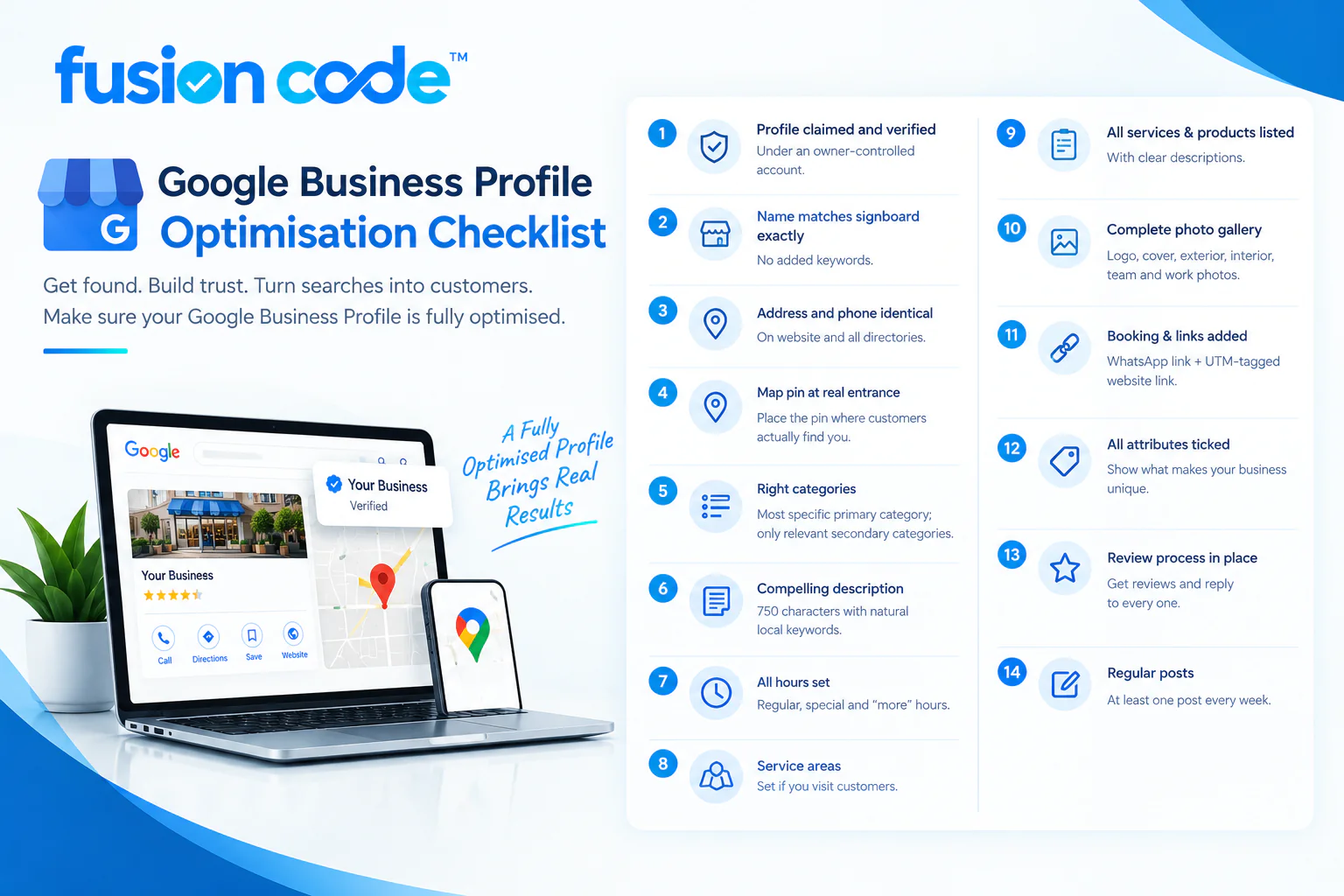
- Profile claimed and verified under an owner-controlled account
- Name matches signboard exactly, no added keywords
- Address and phone identical on website and all directories
- Map pin dragged to the real entrance
- Most specific primary category; relevant secondary categories only
- 750-character description with natural local keywords
- Regular, special, and “more” hours set
- Service areas set (if you visit customers)
- Every service and product listed with descriptions
- Logo, cover, exterior, interior, team and work photos uploaded
- Booking or WhatsApp link and UTM-tagged website link added
- All true attributes ticked
- Review request process in place; every review answered
- One post at least every week
Google reviews, ratings and review response management
Reviews carry the second-biggest share of ranking weight, and they’re usually what convinces someone to call. What changed in 2026 is that recent reviews count for far more than your total. A clinic with 80 reviews, ten of them from last month, will usually beat one with 300 reviews and nothing new since 2023.
How to get more Google reviews (the right way)
- Copy your review link from the Business Profile (“Ask for reviews”) and print it as a QR code on the billing counter, receipts, and visiting cards.
- Send the link on WhatsApp right after the service is complete, when satisfaction is highest. A short personal message from the owner gets far more responses than an automated SMS.
- Ask every customer, not only happy ones. Filtering who gets asked (“review gating”) is against Google’s policy.
- Gently suggest what to mention: “It would help if you mention the service you took and the area.” Reviews that naturally say “root canal in Aliganj” strengthen relevance. Never write the review for them or offer discounts in exchange.
- Accept reviews in Hindi and Hinglish. They count exactly the same.
Review response management
Reply to every review within 48 hours. Google confirms responding shows customers you value them, and Ask Maps can draw on review content when describing your business.
For positive reviews, thank the customer by name and mention the service and locality naturally: “Thank you, Priya ji! Glad the braces consultation at our Gomti Nagar clinic went well.”
For negative reviews, stay calm and public-facing. Apologise for the experience, state the facts briefly, and move the discussion offline with a phone number. Future customers read your reply more closely than the complaint.
For fake or abusive reviews, flag them through “Manage reviews” in your profile, then follow up through the review management tool if they stay up. Removal is not guaranteed, so a calm reply is still worth posting.
Warning about review sellers
Paid review packages advertised on Instagram and Telegram are common in India. Google detects review bursts from unrelated accounts and can remove them in bulk, freeze new reviews on your profile, or suspend it. The short-term bump is not worth losing the listing.
What most GBP guides miss: insights from local SEO forums, Reddit and YouTube
The points below rarely appear in top-ranking Indian articles. They come from Google Business Profile Product Experts, local SEO practitioner communities, Reddit threads, and recent industry testing.
1. The Q&A section is gone, and Ask Maps replaced it
Many guides still tell you to “seed your Q&A section”. That no longer works. Google shut down the Q&A API on 3 November 2025 and began removing the public Q&A section from December 2025 (BrightLocal, Slashpost). Old questions and answers were not carried over.
The replacement is Ask Maps, a Gemini-powered conversational search inside Google Maps. India was in the very first launch wave in March 2026, alongside the United States (GSMArena, MobiGyaan). In July 2026, Google announced Gemini in Maps for all Android and iOS users in India, adapted to how Indians phrase questions and local place names (Outlook Business).
This means Indian customers are already asking things like “quiet café in Hazratganj with parking and power sockets”. Ask Maps builds its answer from your profile fields, reviews, photos, and website. So:
- Move your old Q&A answers to an FAQ page on your website and into service descriptions.
- Tick every relevant attribute; they answer filter-style questions directly.
- Encourage reviews that mention specifics: parking, wait time, kid-friendly, language spoken.
- Ask Maps lets users suggest edits and share tips conversationally (Mayans Studio). Check your profile weekly for “Google updates” and reject wrong changes.
2. Never let an agency or freelancer own your profile
One of the most common Reddit complaints from Indian owners: “The person who made my listing left, and now I can’t access it.” Always keep yourself as Primary owner and add agencies, including Fusion Codes, as Manager. A manager can do all optimisation work but cannot remove you.
3. Edits can trigger suspension
Product Experts on the Google Business Profile Help Community repeatedly see the same pattern: an owner changes name, address, and category in one sitting, and the profile is suspended or sent for re-verification. Make one significant change at a time and wait for it to go live.
4. Checking your rank from your own phone is misleading
Google personalises Maps results by your location and history. Searching from your shop will almost always show you near the top. Practitioners use grid rank trackers such as Local Falcon or Whitespark’s Local Ranking Grids, which show your rank across a map of points around your business. Expect to rank well near your location and weaker 3–5 km away. That is distance, not a penalty.
5. Virtual offices and co-working addresses usually fail
A popular shortcut in Indian metros is registering a listing at a virtual office to appear in a premium locality. Google’s guidelines require the location to be staffed during stated hours with permanent signage. These listings often fail video verification or get suspended later.
6. Retired features still floating around
Google shut down free Business Profile websites (the .business.site addresses) and the Business Profile chat feature in 2024. If your visiting cards, Instagram bio, or old ads still point to a .business.site link, replace it with your own website or a WhatsApp link.
7. The cover photo you pick is not always the one Google shows
Google chooses which image to display first based on the search. Upload strong images of what people search for (your best dish, a finished project) so Google has good options to pick from.
Troubleshooting: missing, suspended, and duplicate profiles
Why is my Google Business Profile not showing in search?
The most common reasons are that the profile is not yet verified, is newly verified (allow 1–2 weeks), is suspended, or is outranked by closer and more relevant competitors. First, search your exact business name: if it appears, the profile is live, and the issue is ranking, not visibility. If it does not appear even for your name, check the dashboard for a verification or suspension notice.
Other causes include a recent edit still under review, a duplicate listing splitting signals, a wrong primary category, or a map pin placed on the wrong street.
How to fix a suspended Google Business Profile
There are two kinds of suspension. With a soft suspension, the listing may still show publicly, but you lose the ability to manage it. With a hard suspension, the listing disappears from Search and Maps (TechBullion). A whole Google account can also be restricted, which suspends every profile it manages.
To get reinstated:
- Find and fix the cause first: keyword-stuffed name, residential address shown as a storefront, virtual office, wrong category, or a sudden burst of edits. Appealing an unfixed profile is denied.
- Gather evidence: photo of permanent signage, interior and team; utility bill or rent agreement in the business name; GST certificate, Udyam registration or Shop and Establishment licence; and a business email on your own domain.
- Submit one appeal through the Google Business Profile appeals tool. Keep the statement short and factual. Practitioners report the evidence upload window closes about 60 minutes after you start, so have files ready (Astute).
- Do not edit the profile or submit duplicate appeals while it is under review.
Most appeals with complete evidence get a decision within a few business days to about two weeks.
How to remove a duplicate Google Business listing
- If you own both listings, keep the verified one with more reviews. On the duplicate, use “Suggest an edit” and choose “Duplicate of another place”, or remove the duplicate from your account.
- If someone else created it (an old employee, a franchise, Google auto-generated it), request ownership through the “Claim this business” flow, then mark it as a duplicate.
- If the duplicate is in a different Google account you no longer access, contact Google Business Profile support with proof of ownership.
Reviews generally cannot be moved between listings, so act early before customers split reviews across two profiles.
How to rank higher on Google Maps in India and get more calls
How to rank #1 on Google Maps for “near me” searches
“Near me” results depend heavily on where the searcher is standing, so no business ranks first everywhere. You can, however, become the top result within your realistic catchment. Focus on:
- Exact primary category matching the near-me phrase (“Dentist near me” → Dentist or a more specific dental category).
- Open now. Many near-me searches happen when people need something immediately. Accurate hours, including late and Sunday hours, help you appear.
- Fresh reviews that mention the service and the locality.
- A location page on your website for each area you serve, with your NAP, an embedded Google map, local photos, and genuine local details. Link it from your profile.
- Local citations on JustDial, Sulekha, IndiaMART, Practo, Zomato, and city directories with identical NAP.
- Local backlinks from your market association, local news sites, sponsored events, and supplier websites.
- A real branch in the area if you need to rank there. This is the only honest way to beat proximity.
How to get more calls from Google Business Profile
- Use a mobile number as the primary phone so customers can WhatsApp it too.
- Make sure someone answers during listed hours. Missed calls teach customers to try the next listing.
- Show prices or price ranges on services; customers call when they know you fit their budget.
- Use Call as the button on offer posts.
- Keep a strong first photo; it is the first thing searchers judge.
- Reply to reviews; profiles with replies look active and trustworthy.
Insights and performance metrics to track
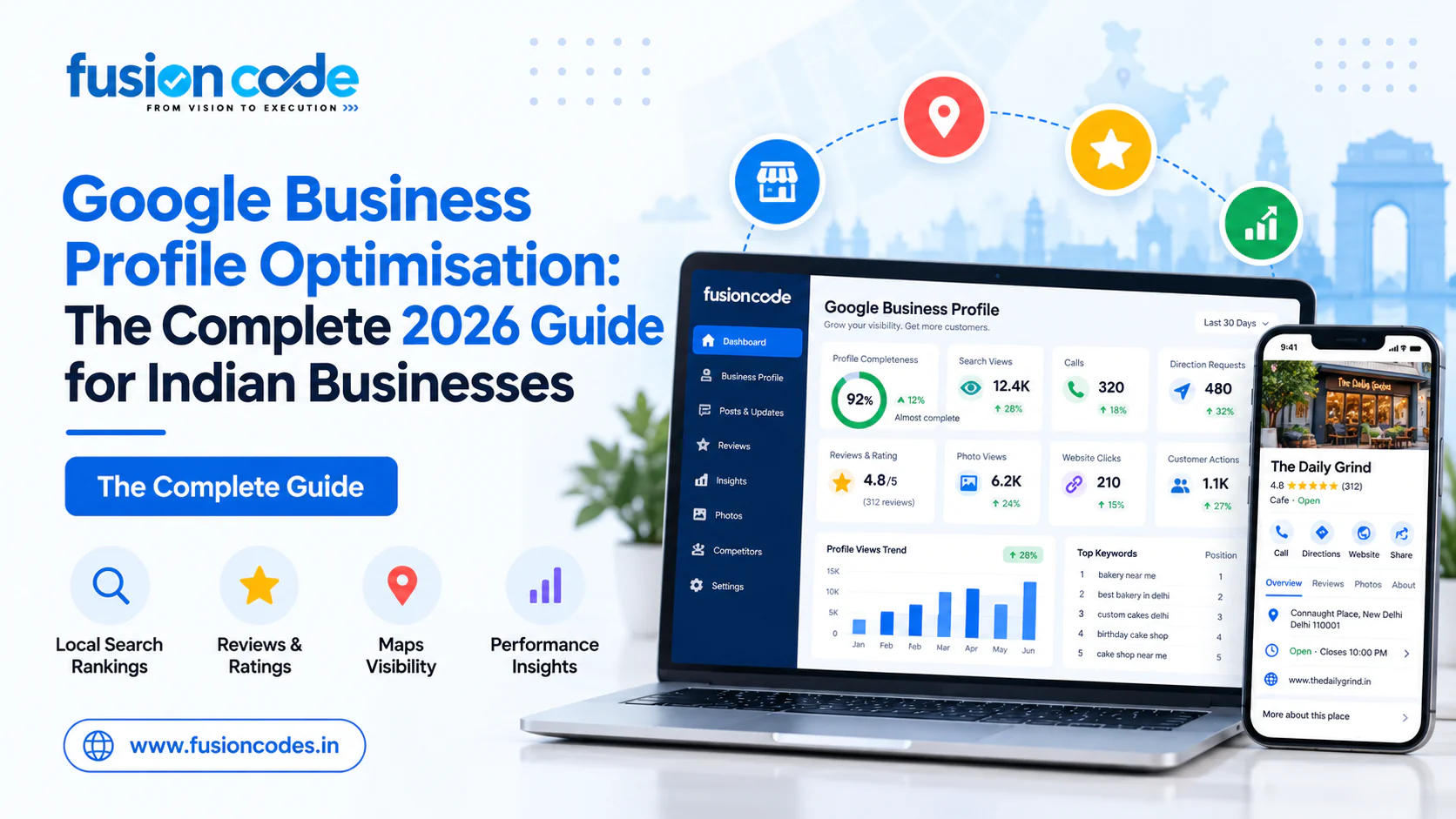
Open Performance in your profile each month and track:
| Metric | What it tells you |
|---|---|
| Searches and the search terms list | Which keywords trigger your profile |
| Profile views (Search vs Maps) | Overall visibility |
| Calls (click-to-call) | Direct leads |
| Direction requests | Footfall intent |
| Website clicks | Traffic to your site (confirm with UTM in Google Analytics) |
| Bookings and messages | Conversion from booking links |
Compare month on month, not day to day. If searches grow but calls do not, the profile is visible but not convincing: work on photos, reviews and prices.
Google Business Profile audit and management services from Fusion Codes
Do a quick Google Business Profile audit yourself
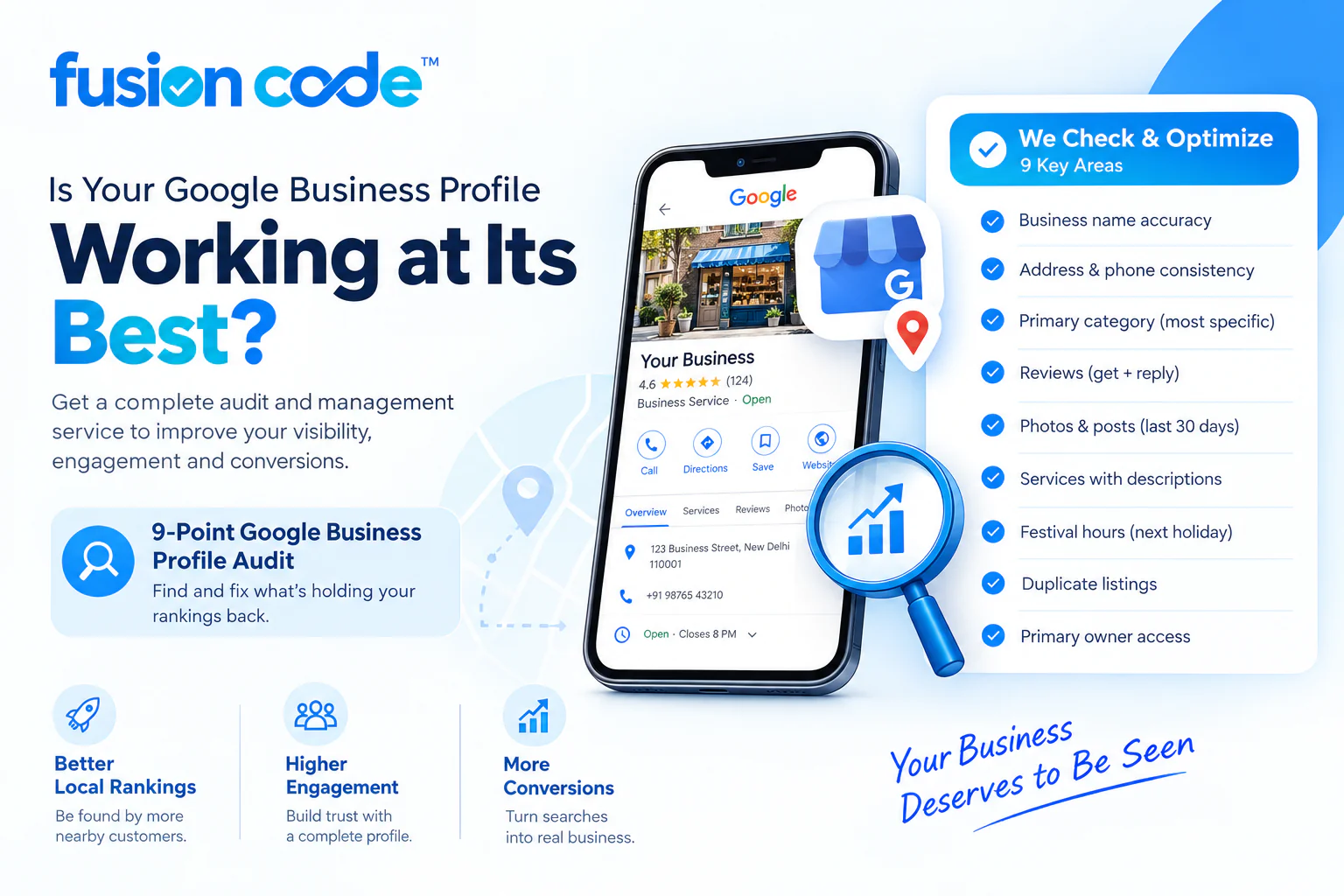
Answer these honestly. Every “no” is a ranking or conversion leak.
- Does the name match your signboard exactly?
- Is the address and phone identical on your website and top five directories?
- Is the primary category the most specific one available?
- Did you get at least four new reviews last month, and reply to all of them?
- Have you added photos and a post in the last 30 days?
- Are all services listed with descriptions?
- Are festival hours set for the next holiday?
- Is there only one listing for your business on Google Maps?
- Are you the Primary owner of the profile?
Google Business Profile optimisation services in India
Many owners know what to do but do not have time to do it every week. That is where a Google Business Profile management service helps. Fusion Codes is a digital marketing and SEO company based in Lucknow, serving small businesses across India.
Our Google Business Profile optimisation service includes:
- A full Google Business Profile audit and competitor category analysis
- Google Business Profile setup and verification support, including video verification preparation
- Complete profile optimisation: categories, description, services, products, attributes, photos
- Google Business Profile optimisation with review management: review request system, QR codes, WhatsApp templates, and replies to every review
- Weekly Google Posts and monthly photo updates
- Citation building and NAP clean-up across Indian directories
- Duplicate listing removal and suspended profile reinstatement
- Monthly grid rank tracking and Performance reports
Google Business Profile optimisation company in Lucknow
If you are in Lucknow, we can visit your location to help with verification video, signage checks, and on-site photography in areas such as Hazratganj, Gomti Nagar, Aliganj, Indira Nagar, and Alambagh.
Affordable Google Business Profile management for small businesses
What does it cost? It depends on how much work your profile needs and how competitive your category is. A dentist in Gomti Nagar has a tougher fight than a tailor in a small market. Here is what Google Business Profile management for small businesses generally costs in India:
| Package | What’s usually included | Typical cost in India |
|---|---|---|
| One-time setup and optimisation | Claim or create, verification help, categories, description, services, photos, attributes | ₹3,000 – ₹10,000 one time |
| Basic monthly management | Weekly posts, photo updates, review replies, monthly report | ₹4,000 – ₹8,000 per month |
| Growth plan | Everything above, plus review request system, citations, location pages, grid rank tracking | ₹10,000 – ₹20,000 per month |
| Multi-location or recovery work | Several branches, suspension appeals, duplicate clean-up | Custom quote |
We don’t believe in one fixed price for everyone. Fusion Codes starts with a free audit, then quotes based on what your listing actually needs.
A client example: Amirat Al Khaleej, Sharjah
One business we work with is Amirat Al Khaleej, a custom tailoring and hand embroidery atelier on Abdullah Bin Salam Street in Al Mujarrah, Sharjah. They make jalabiyas, kaftans, maghribi, gowns, and bridal wear, and their customers come from Sharjah, Dubai, Ajman, and Abu Dhabi.
A shop like this shows why the small details in this guide matter. Customers find it through searches like “tailor near me Sharjah” and the Arabic equivalent, so the profile and website need to speak both languages. The timings are split: open 8 AM to 12 PM and 4 PM to 11 PM, and closed on Fridays, so special and regular hours have to be exactly right. Directions are given by a landmark, near Darwish Mosque, which is how people actually find their way. And most orders begin on WhatsApp, so the booking link goes straight to chat instead of a form.
The same approach works for Indian shops. Get your hours, landmark, language, and contact method right, and your listing starts doing the selling for you.
[Add the before/after calls, direction requests or ranking numbers from Amirat Al Khaleej’s Performance report here, if the client is happy to share them.]
Ready to get found on Google Maps? Book a free Google Business Profile audit with Fusion Codes, call or WhatsApp us on +91 91510 60965, or reach our Lucknow office on 0522-4609457. We’re at CP/140, Viraj Khand, Gomti Nagar, Lucknow, open Monday to Saturday, 10 AM to 8 PM.
Frequently asked questions
How do I optimise my Google Business Profile for better ranking?
Choose the most specific primary category, keep your name and NAP details exactly matching your signboard and website, list every service, set accurate hours, upload real photos monthly, earn fresh reviews every month, and reply to all of them. Support this with location pages on your website and consistent local citations.
How can I rank higher on Google Maps in India?
Focus on relevance (correct categories and services), prominence (reviews, citations, local links) and accurate hours, since “open now” is a top-five factor in 2026. Distance to the searcher is outside your control, so aim to dominate your nearest 3–5 km first.
How often should I post on Google Business Profile?
Post at least once a week. Posts help conversions and give Ask Maps fresh information, but they are not a strong ranking factor by themselves, so consistency matters more than volume.
How long does Google Business Profile optimisation take to show results?
Profile fixes such as categories and hours can show impact within 2–4 weeks. Review-driven and citation-driven gains usually build over 3–6 months.
Do geo-tagged images help Google Maps ranking?
No. Google strips location metadata from uploaded photos, and independent tests found no ranking benefit. Upload good, recent, real photos for customers instead.
Can I still add questions and answers to my profile?
No. Google removed the Q&A section in late 2025 and replaced it with Ask Maps, which writes answers from your profile, reviews, and website. Put FAQs on your website instead.
Which is the best Google Business Profile optimisation service in India?
The best service is one that shows you real grid-ranking and call reports, keeps you as the profile’s Primary owner, follows Google’s guidelines (no keyword stuffing or fake reviews), and has local knowledge of your city. Ask any agency, including Fusion Codes, for these before signing up.