A company with fifty employees runs payroll on spreadsheets. Tracks leave through email threads. Stores employee documents across five different folders somewhere.
Eventually it all breaks. Someone miscalculates a statutory deduction. A leave balance goes wrong. A new hire’s paperwork gets lost entirely. HRMS software exists specifically to remove this fragility, pulling every core HR process into one connected system instead.
This guide explains what HRMS software actually does and what it costs in India in 2026. And how Fusion Codes builds HRMS platforms shaped around a company’s actual workforce, not some rigid, generic package.
What Is HRMS Software?
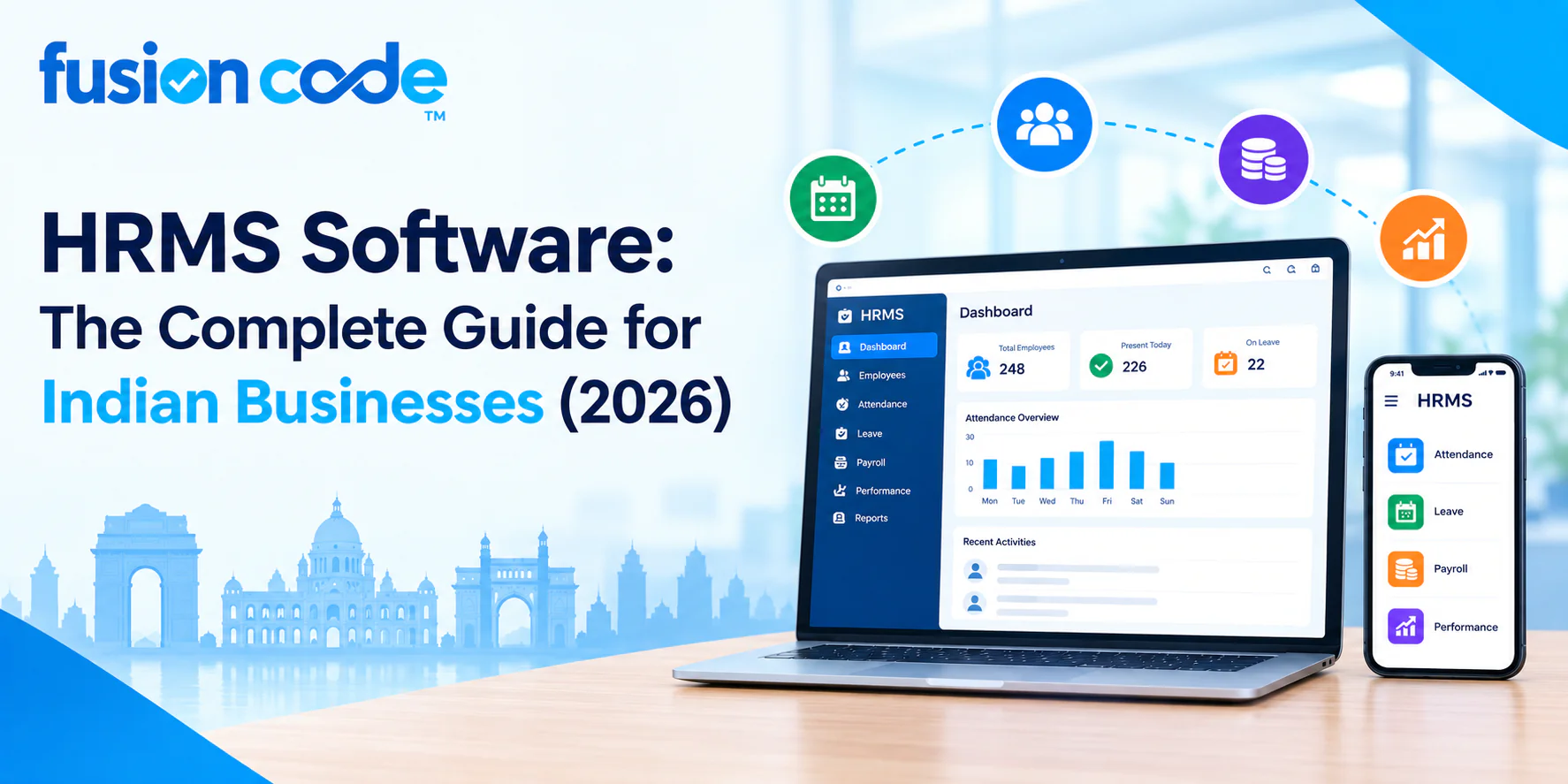
HRMS software is a digital platform that manages an organisation’s core human resource functions. Payroll, attendance, leave, recruitment, and employee records – all inside one connected system rather than scattered spreadsheets and manual processes.
It replaces fragmented, error-prone admin work with automated, auditable workflows. HR teams, managers, employees – everyone gets access to what actually applies to them.
What Does HRMS Stand For?
HRMS stands for Human Resource Management System. The term covers any software platform built to manage the employee lifecycle, from recruitment and onboarding through payroll, performance, and eventual offboarding, as one connected digital system rather than separate manual processes.
How Does HRMS Software Work?
HRMS software keeps a central employee database that every other module draws from. Attendance feeds payroll. Leave approvals update attendance. Performance data ties back to the same employee profile.
HR admins, managers, and employees – each one only sees the parts relevant to them, thanks to role-based access. And the calculations and approvals that would otherwise eat up someone’s afternoon? Automated rules just handle that quietly in the background.
Why Do Companies Need HRMS Software?
Manual HR processes just don’t scale cleanly. What works fine for fifteen employees on a spreadsheet turns genuinely unmanageable at eighty.
Errors in payroll, missed compliance deadlines, lost employee records – all of it becomes a matter of when, not if.
What Are the Benefits of HRMS Software?
- Payroll that once took days now finishes in hours, with statutory deductions calculated automatically
- Fewer compliance errors, since HRMS platforms track filing deadlines and update statutory rates directly
- One employee record across departments, instead of five different versions in five different files
- Faster onboarding, digital document collection replacing paper processes that used to take days
- Real visibility into workforce data through dashboards, instead of building a manual report every time leadership asks a question
Human Resource Management System: Core Modules Explained
A complete human resource management system software platform comes from distinct modules. Each one covers a specific part of the employee lifecycle.
| Module | What It Covers |
| Payroll management | Salary calculation, statutory deductions, payslip generation |
| Attendance management | Daily attendance tracking across multiple methods |
| Leave management | Leave applications, approvals, and balance tracking. |
| Employee self-service (ESS) portal | Employee access to payslips, leave requests, and personal data |
| Employee database management | Centralised, searchable employee records |
| Recruitment and applicant tracking (ATS) | Job postings, candidate pipelines, interview scheduling |
| Employee onboarding and offboarding | Digital document collection and exit formalities |
| Performance management and appraisal | Goal setting, reviews, and performance tracking |
| Shift and roster management | Scheduling across shifts, locations, and teams |
| Expense and reimbursement management | Expense claims, approvals, and reimbursement processing |
| HR analytics and reporting | Dashboards covering attrition, headcount, and cost trends |
Payroll Management and Payslip Generation
Payroll management is usually the module a business notices first. It touches every employee every single month.
Automated payslip generation compiles salary components, deductions, and statutory contributions into a compliant payslip; no manual calculation is needed. What took days now takes a few hours.
Can HRMS Software Automate Payroll and Statutory Compliance?
Yes. This, honestly, is a big part of why businesses adopt HRMS software in the first place. Provident Fund, ESI, professional tax, and TDS – a well-built system calculates all of it automatically off current statutory rates and updates those rates the moment regulations shift.
Cuts down the compliance risk that comes with manual calculation quite a bit.
Attendance Management, Time and Attendance Tracking, and Biometric Attendance Integration
Attendance management and time and attendance tracking form the backbone that payroll and leave calculations both lean on. Biometric attendance integration, fingerprint or facial recognition hardware wired directly into the HRMS, removes manual entry and the proxy attendance problem paper registers are prone to.
Shift and Roster Management
Multiple shifts, multiple locations, a mixed crew of full-time and field staff – that’s where shift and roster management actually earn its keep. A proper system just builds the schedule automatically around shift rules and staffing needs. No manager hand-building a fresh roster every single week anymore.
Leave Management and Employee Self-Service (ESS) Portal
Applications, approvals, balances, and leave management track all three automatically, updating live as a request moves through approval. And with an employee self-service (ESS) portal, staff can apply for leave, check balances, and pull up payslips themselves. Nobody has to bother HR for the routine stuff anymore.
Recruitment and Applicant Tracking (ATS) and Employee Onboarding and Offboarding
Job postings, candidate pipelines, interview scheduling, recruitment and applicant tracking (ATS) functionality handle all of it inside the same platform that eventually holds that candidate’s own employee record once they’re hired. Employee onboarding and offboarding modules pick up from there: digital document collection, policy acknowledgement, exit formalities, and turning a process that used to take several days into a matter of hours instead.
Performance Management and Appraisal
Goals, review cycles, feedback, performance management, and appraisal modules track it all inside the same system already holding attendance and payroll data. A manager gets full context on an employee instead of switching between disconnected tools during review season.
Expense and Reimbursement Management
Expense and reimbursement management digitises what’s often still a paper-based process in smaller companies. Claims route through approval workflows, and approved reimbursements sync straight into the next payroll cycle.
HR Analytics and Reporting and Workforce Management
Raw employee data becomes something useful – attrition trends, headcount by department, and payroll cost over time – once HR analytics and reporting get involved. Beats the manual report-building that otherwise falls on HR every time leadership has a question. Workforce management ties it all together on top, a live view of the organisation instead of a static report that only shows up once a quarter.
What Are the Key Features of HRMS Software?
Understanding HRMS software features by category makes comparing platforms on substance a lot easier than comparing marketing claims.
| Feature Category | Examples |
| Core HR | Employee database, document management, organisational structure |
| Payroll and compliance | Automated payroll, statutory deductions, payslip generation |
| Time management | Attendance, leave, shift and roster management |
| Talent management | Recruitment, onboarding, performance appraisal |
| Employee experience | Mobile app access, ESS portal, self-service requests |
| Analytics | Dashboards, custom reports, predictive attrition indicators |
HRMS Software with Payroll vs. Standalone Payroll Software
What Is the Difference Between HRMS and Payroll Software?
Salary calculation, statutory deductions, payslip generation – that’s about as far as payroll software goes. HRMS software with payroll covers the same ground, sure, but from inside a bigger platform that also handles attendance, leave, recruitment, and performance. All tied to the same employee record too, not sitting off as some isolated system demanding its own separate data entry.
Cloud-Based HRMS Software vs On-Premise
Cloud-based HRMS software runs on the vendor’s infrastructure, accessed through a browser or app. No need for a business to maintain its own servers or dedicated IT staff just for this.
On-premises HRMS still exists for organisations with strict data residency needs, though it’s a shrinking share of new deployments these days, given the operational overhead involved.
Online HRMS Software: Why It Dominates in 2026
Online HRMS software has become the default for most Indian businesses in 2026. Lower upfront cost. Automatic updates. Access from anywhere, which matters a lot more now that hybrid and field-based work have become standard rather than the exception.
HRMS Software with Mobile App
HRMS Software with a Mobile App for Employees
HRMS software with a mobile app for employees lets staff mark attendance, apply for leave, view payslips, and submit expense claims right from a phone. Matters a great deal for field staff, sales teams, or anyone not sitting at a desk with browser access all day.
HRMS Software for Small Businesses
Is HRMS Software Suitable for Small Businesses?
Yes, and arguably it matters more here than for large ones. A small HR team just has the least room to absorb errors from manual payroll and compliance tracking.
So HRMS software for small businesses should lean toward straightforward setup and core modules. Not the deep feature stack a large enterprise might actually put to use.
Best HRMS Software for Small Businesses in India
Payroll, attendance, and leave management bundled into one affordable package – that’s usually what the best HRMS software for small businesses in India looks like. No need to pay for recruitment or performance modules; a smaller headcount doesn’t need it yet.
Affordable HRMS Software with Payroll and Attendance
Doesn’t automatically mean stripped-down, affordable HRMS software with payroll and attendance. Plenty of providers keep core plans reasonably priced simply by pushing advanced stuff, deep analytics, and multi-entity payroll into optional add-ons instead of jamming it into every plan by default.
HRMS Software Pricing
How Much Does HRMS Software Cost in India?
45 to 200 rupees per employee per month; that’s the general range for HRMS software pricing in India among small to mid-size businesses. Count in support, implementation, and add-on modules, though, and the effective cost usually lands 30 to 60 percent above whatever figure got advertised first.
| Company Size | Typical Monthly Cost (2026) | What Usually Drives the Range |
| Under 25 employees | 1,500 to 8,000 rupees | Flat-fee plans, core modules only |
| 50 employees | 2,000 to 10,000 rupees | Per-employee pricing, payroll and attendance included |
| 100 to 300 employees | 40,000 to 180,000 rupees | Full-featured plans, compliance, analytics, mobile access |
| Enterprise and multi-entity | Custom quote | Multi-location payroll, deep customisation, dedicated support |
Data migration from Excel or a legacy system? Usually priced separately. Somewhere between 5,000 and 30,000 rupees, depending on just how messy that historical data is before it ever gets imported. Worth confirming this upfront, not after signing anything.
HRMS Software Comparison: What to Look For
Top HRMS Software in India: Common Traits of the Best Options
A handful of traits show up again and again across the strongest HRMS platforms in India, no matter the company size. Transparent per-employee pricing, with no unexplained add-on charges sneaking in. Genuine statutory compliance support, not some generic international payroll engine wearing a local skin. And a mobile app field staff actually open, not one that reads like an afterthought.
What Is the Best HRMS Software in India?
No single universal answer here, honestly. Depends on company size and industry compliance needs, which modules matter most.
That said, a strong choice prioritises accurate statutory payroll calculation, reliable attendance tracking, and a mobile ESS portal, well ahead of features a business may never actually touch.
How to Choose the Right HRMS Software for Your Company?
Knowing how to choose the best HRMS software for your business really comes down to matching the platform to your actual workforce size, compliance needs, and budget. Don’t pick based on whoever’s feature list runs longest.
- Confirm the platform handles your state-specific statutory requirements accurately, not just a generic national template
- Check whether payroll, attendance, and leave sit in the base plan or get billed as separate add-ons
- Test the employee mobile app directly, since adoption depends heavily on how usable it actually feels
- Ask specifically about data migration support if you’re moving from Excel or a legacy system
- Request a free demo covering your actual workforce size and structure, not a generic sales walkthrough
How Long Does HRMS Implementation Take?
A standard HRMS implementation for a single-location business under 100 employees typically takes 4 to 8 weeks. Data migration, configuration, and staff training are all included in that window.
Larger, multi-entity deployments with complex payroll across states commonly take 3 to 6 months, depending on how messy the historical data is before migration even starts.
How to Implement HRMS Software Step by Step
- Define required modules and confirm statutory compliance needs by state and entity
- Clean and prepare existing employee data before migration begins
- Configure payroll rules, leave policies, and approval workflows to match company policy
- Run a parallel test cycle alongside existing manual processes before full cutover
- Train HR staff and managers, then roll out employee self-service access
- Watch the first two payroll cycles closely before anyone calls the system fully live
Signs Your Company Needs an HRMS
- Payroll takes several days each month and still comes out with occasional errors
- Leave balances get tracked manually and regularly disputed by employees
- Employee records live across multiple spreadsheets with no single source of truth
- Onboarding a new hire means chasing paper documents across several days
- Compliance deadlines have been missed, or nearly missed, thanks to manual tracking
Common Mistakes to Avoid When Buying HRMS Software
- Comparing only the advertised starting price without checking which modules actually come included
- Skipping a proper demo run against your own company’s workforce size and structure
- Ignoring data migration costs until after the contract is already signed
- Choosing a platform without confirming state-specific statutory compliance support
- Underestimating how much the mobile app actually matters for field or non-desk employees
How to Migrate from Excel to HRMS Software
Migrating from Excel to HRMS software means mapping existing spreadsheet columns to the new system’s data fields. Then cleaning up inconsistent entries and validating everything before the final import.
Most established HRMS vendors hand over a migration template and hands-on support for this stage. Poorly migrated historical data is one of the most common sources of early implementation headaches.
How to Automate Payroll with HRMS
Automating payroll with HRMS starts with configuring salary structures, statutory deduction rules, and approval workflows once. After that, the system calculates and processes payroll automatically each cycle, based on attendance and leave data already captured elsewhere in the platform.
Manual intervention becomes the exception. Reserved for genuine one-off adjustments, not the default monthly routine anymore.
HRMS Software by Industry
HRMS Software for Manufacturing Companies
HRMS software for manufacturing companies needs strong shift and roster management, given multi-shift production schedules. Biometric attendance integration suited to factory floor environments matters here too, not just in office settings.
HRMS Software for IT and Staffing Companies
HRMS software for IT and staffing companies typically needs to support project-based billing structures, client-wise employee allocation, and rapid onboarding cycles. Staffing companies especially onboard and offboard people at a pace that standard HR processes were never really built to handle smoothly.
Best Cloud HRMS Software for Startups in India
HRMS Software with Free Demo
The best cloud HRMS software for startups in India generally combines low upfront cost, fast setup, and core modules – payroll, attendance, and leave – without locking a business into a long-term contract before it even knows if the platform fits. Requesting an HRMS software with free demo access lets a startup test payroll accuracy and the mobile app directly before spending anything.
Fusion Codes: HRMS Software Development Company
Fusion Codes is an HRMS software development company that builds custom human resource management systems around a company’s actual workforce structure, not one rigid template handed to every client. We bring over ten years of combined domain and technology experience to these builds, operating under ISO 9001, ISO 27001, ISO 20000, and ISO 22301 certifications – standards that matter directly given how much sensitive payroll and employee data an HRMS actually handles.
Whether a business needs HRMS software for small businesses just getting past spreadsheets or a multi-entity system for manufacturing or IT staffing operations with complex compliance needs, we scope each build around the company’s actual modules, statutory requirements, and workforce structure rather than a fixed package that only half fits.
For official guidance on Provident Fund compliance that any HRMS payroll module needs to get right, the Employees’ Provident Fund Organisation’s official portal is the primary government source. For TDS and Form 16 requirements relevant to payroll compliance, the Income Tax Department’s official website stays the authoritative reference.
Frequently Asked Questions
What is HRMS software?
A digital platform that manages an organisation’s core HR functions, payroll, attendance, leave, recruitment, and employee records, within one connected system rather than scattered spreadsheets and manual processes.
What does HRMS stand for?
Human Resource Management System, a term describing software built to manage the full employee lifecycle as a connected digital system.
How does HRMS software work?
It keeps a central employee database that every module draws from, attendance feeding payroll, leave updating attendance, and role-based access letting HR staff, managers, and employees each use the parts relevant to them.
What are the benefits of HRMS software?
Faster payroll processing, fewer compliance errors, a single accurate employee record, faster onboarding, and real visibility into workforce data through dashboards.
What are the key features of HRMS software?
Core HR and employee database management, automated payroll and compliance, attendance and leave tracking, recruitment and onboarding, performance management, mobile access, and analytics.
What is the best HRMS software in India?
No single universal answer, but a strong option prioritises accurate state-specific statutory payroll, reliable attendance tracking, and a genuinely usable mobile app.
How much does HRMS software cost in India?
Generally, 45 to 200 rupees per employee per month for small to mid-size businesses, with the effective cost often running 30 to 60 per cent above the advertised starting price once implementation and add-ons are included.
How to choose the right HRMS software for your company?
Confirm state-specific compliance support, check what’s included in the base plan, test the mobile app directly, ask about data migration support, and request a demo using your own company’s actual workforce structure.
Is HRMS software suitable for small businesses?
Yes, it is often especially valuable for small businesses, since a small HR team has the least capacity to absorb errors from manual payroll and compliance tracking.
Can HRMS software automate payroll and statutory compliance?
Yes, a well-built system automatically calculates Provident Fund, ESI, professional tax, and TDS deductions based on current statutory rates, updating those rates as regulations change.
Why do companies need HRMS software?
Manual HR processes don’t scale cleanly, and errors in payroll, missed compliance deadlines, and lost employee records become a matter of when, not if, once a company grows past a certain size.
What is the difference between HRMS and payroll software?
Payroll software handles salary calculation and statutory deductions narrowly, while HRMS software includes payroll within a broader platform that also covers attendance, leave, recruitment, and performance on the same employee record.
How long does HRMS implementation take?
A standard implementation for a business under 100 employees typically takes 4 to 8 weeks, while larger, multi-entity deployments with complex payroll structures often take 3 to 6 months.
Ready to build an HRMS around your company’s actual workforce and compliance needs? Reach out to Fusion Codes for an HRMS consultation built around your business, not a fixed template.